2018
European data, American law
Since the CLOUD Act of 2018, American companies must hand data to American authorities, even when it is stored in Europe. That clashes with the GDPR. Slate and its services answer to European law only.

Slate is a calm, fast operating system that feels like coming home. Familiar from the first click, smart without giving your data away, and made and hosted in the Netherlands.
For Macs with M1 and M2 first, then more Macs and PCs.
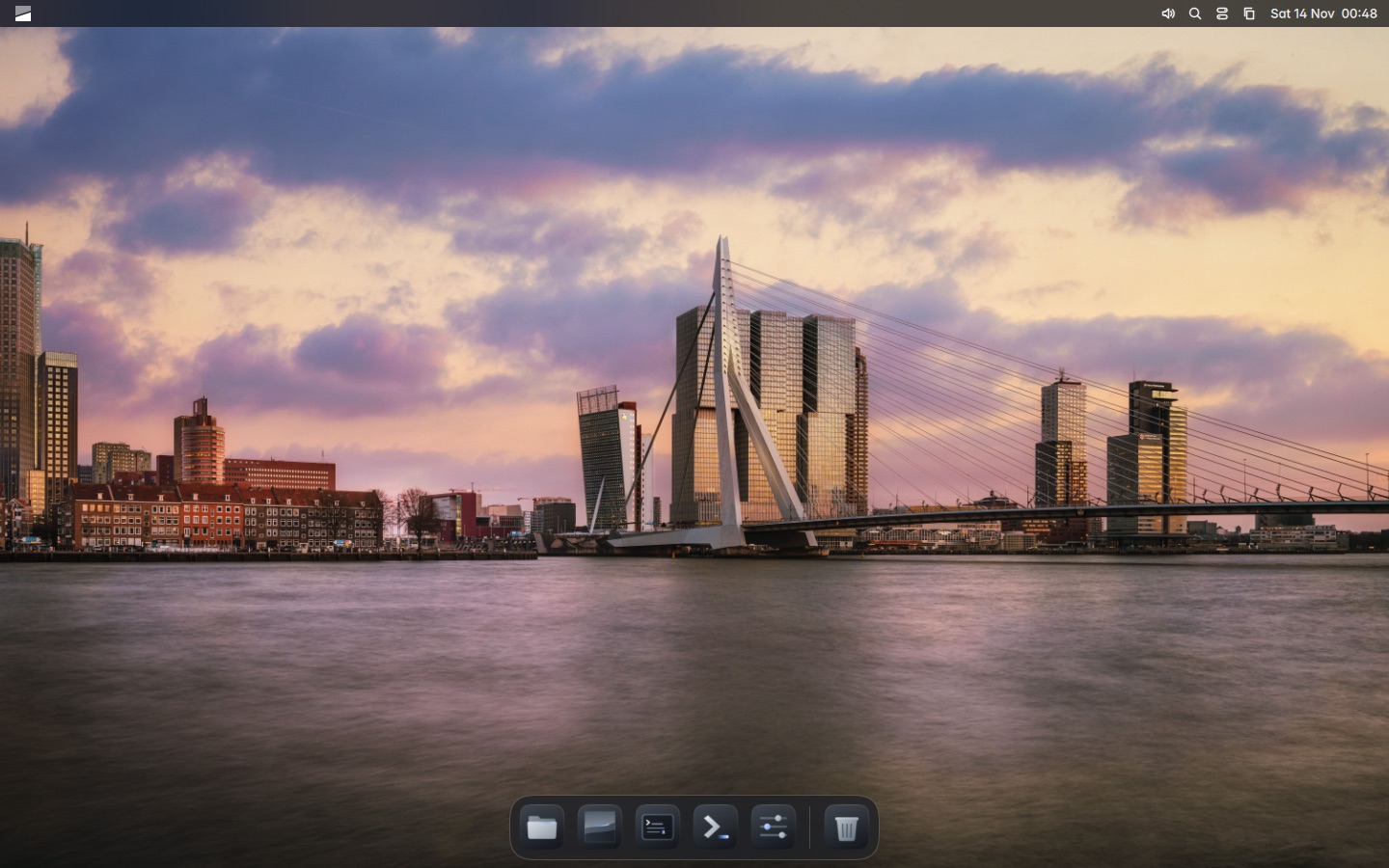
Most computers run on software from a handful of American companies. That comes with three problems, and Slate solves all three.
2018
Since the CLOUD Act of 2018, American companies must hand data to American authorities, even when it is stored in Europe. That clashes with the GDPR. Slate and its services answer to European law only.
0
No telemetry, no required account, no advertising profile. What you do on your computer stays on your computer. So does the AI.
2012
Macs with an Intel processor no longer get new system versions. Slate gives good hardware a second life, with updates and every new feature.
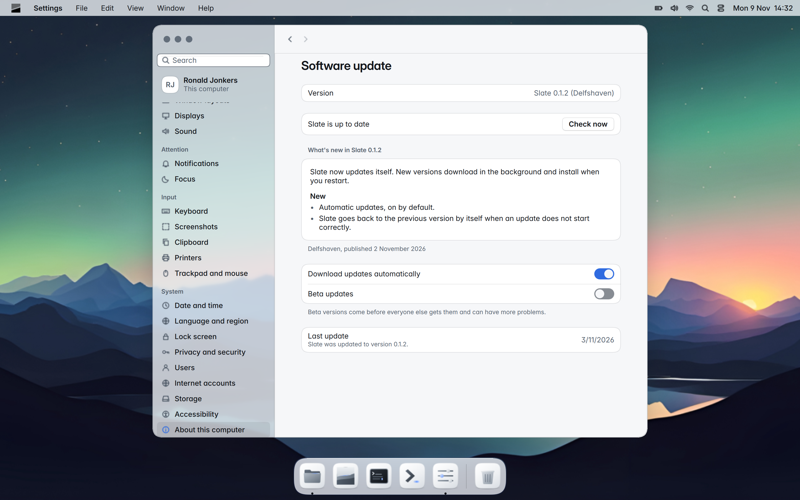
Slate is one whole that updates in one go. An update is prepared in the background and used from the next start. If it does not start properly, your computer goes back to the previous version by itself.
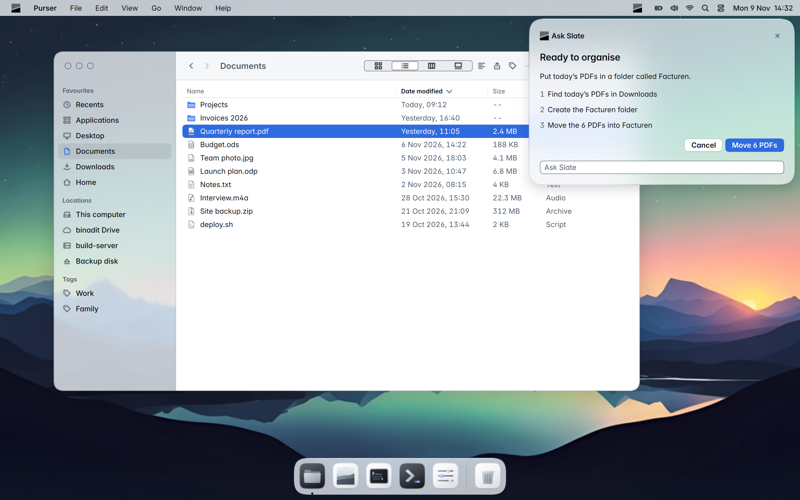
Just ask: "put today's PDFs in a folder called Invoices". Slate AI operates every Slate app, in your own language, without sending anything to a server. Anything that cannot be undone, Slate asks you first.
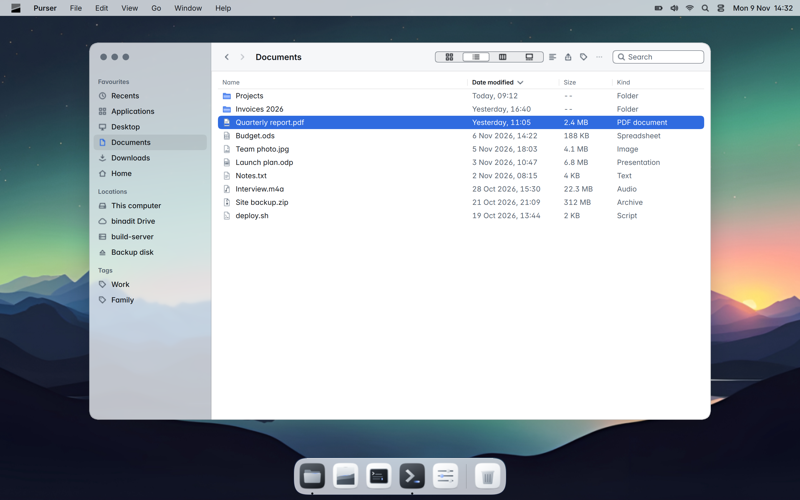
Menu bar, dock, Search, window layouts and more than fifteen apps designed together. If you know a Mac, you feel at home right away. Nothing to set up, and never a terminal to open.
A computer that sends nothing home, asks for no account and runs its services on Dutch servers of a Dutch company. That is how it should be under the GDPR, and that is how Slate is built.
Read how the CLOUD Act works, why the location of a data centre is not enough, and what Slate does instead.
Files, notes, calendar, photos, passwords, backups and more. Every app follows the same design and can be operated by Slate AI.
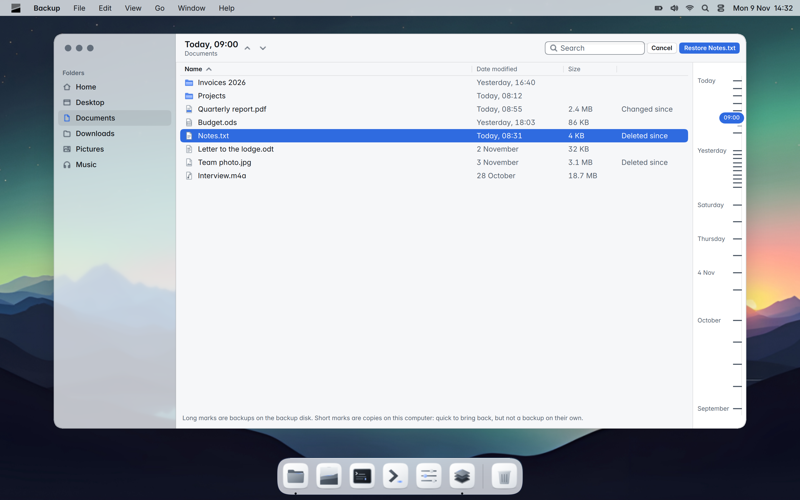
A copy every hour, encrypted to your disk or server. Scroll back in time.
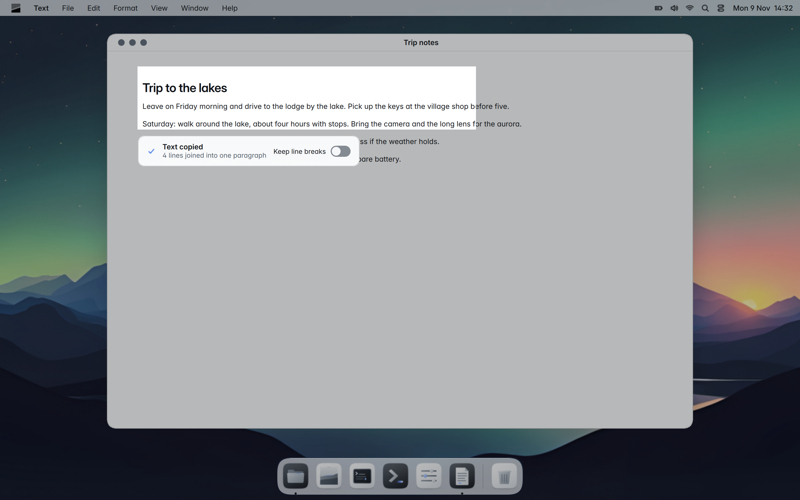
Select part of the screen and its text is on your clipboard.
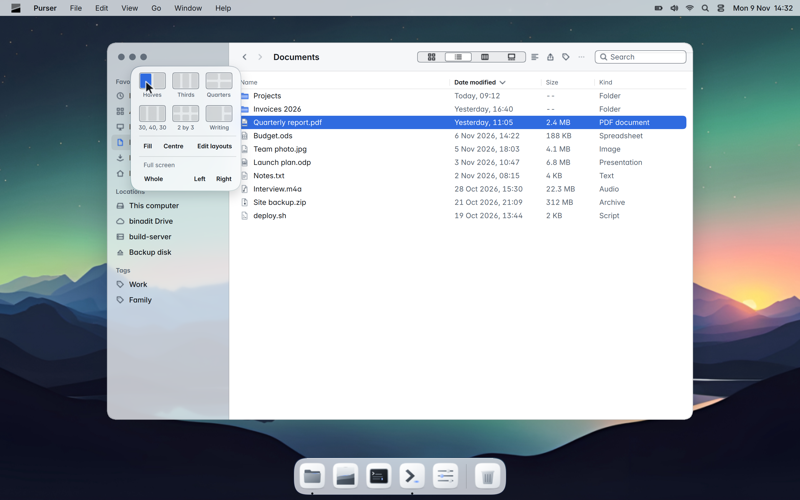
Put windows side by side in one move. Remembered per display.
Slate is built on Fedora and other open-source software. The difference is what we build on top: one system that cannot half-update, a finished desktop, signed apps and AI that stays private.
Slate 1.0 is called Rotterdam. Every version before it carries the name of a Rotterdam neighbourhood, from Delfshaven to Overschie. Sign up for early access as soon as it opens.